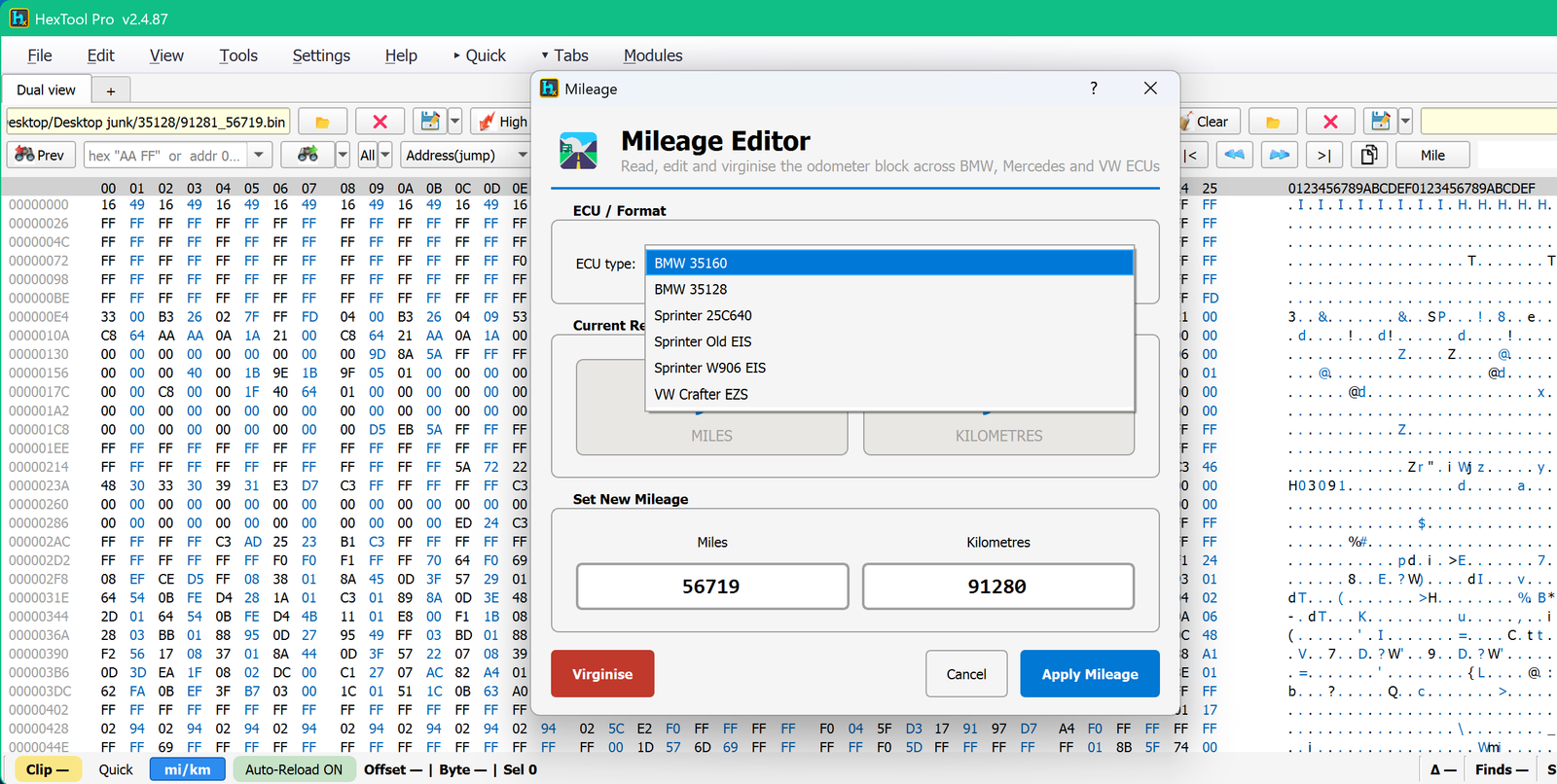
A dedicated pop-out tool to read, edit and virginise the odometer block across a range of BMW, Mercedes and VW ECUs, without needing to know the byte offsets yourself.
How to open it
Click the Mile button in the main toolbar (Row 1 or Row 2), or via Tools → Mileage….
What you can do with it
ECU type — pick the exact module from the dropdown: BMW 35160, BMW 35128, Sprinter 25C640, Sprinter Old EIS, Sprinter W906 EIS, VW Crafter EZS.
Current Reading — shows the mileage currently stored, in both Miles and Kilometres.
Set New Mileage — type a new value into either the Miles or Kilometres field; the other updates automatically from the same conversion used throughout HexTool.
Virginise — resets the odometer block to a blank/factory (virgin) state instead of setting a specific value.
Apply Mileage — writes the new value into the loaded buffer.
Cancel — closes without applying anything.
Typical use cases
Correcting mileage after fitting a used cluster/module from another car.
Resetting a module to virgin state before it's fitted to a different vehicle.
Quickly checking what mileage a dump currently reports without hunting for the offset by hand.
Requirements
A dump loaded that matches one of the supported ECU types.
Other Tools / Mini LR Barcode Generator
Mini LR Barcode Generator
Available in ProFullUltimate
What is this?
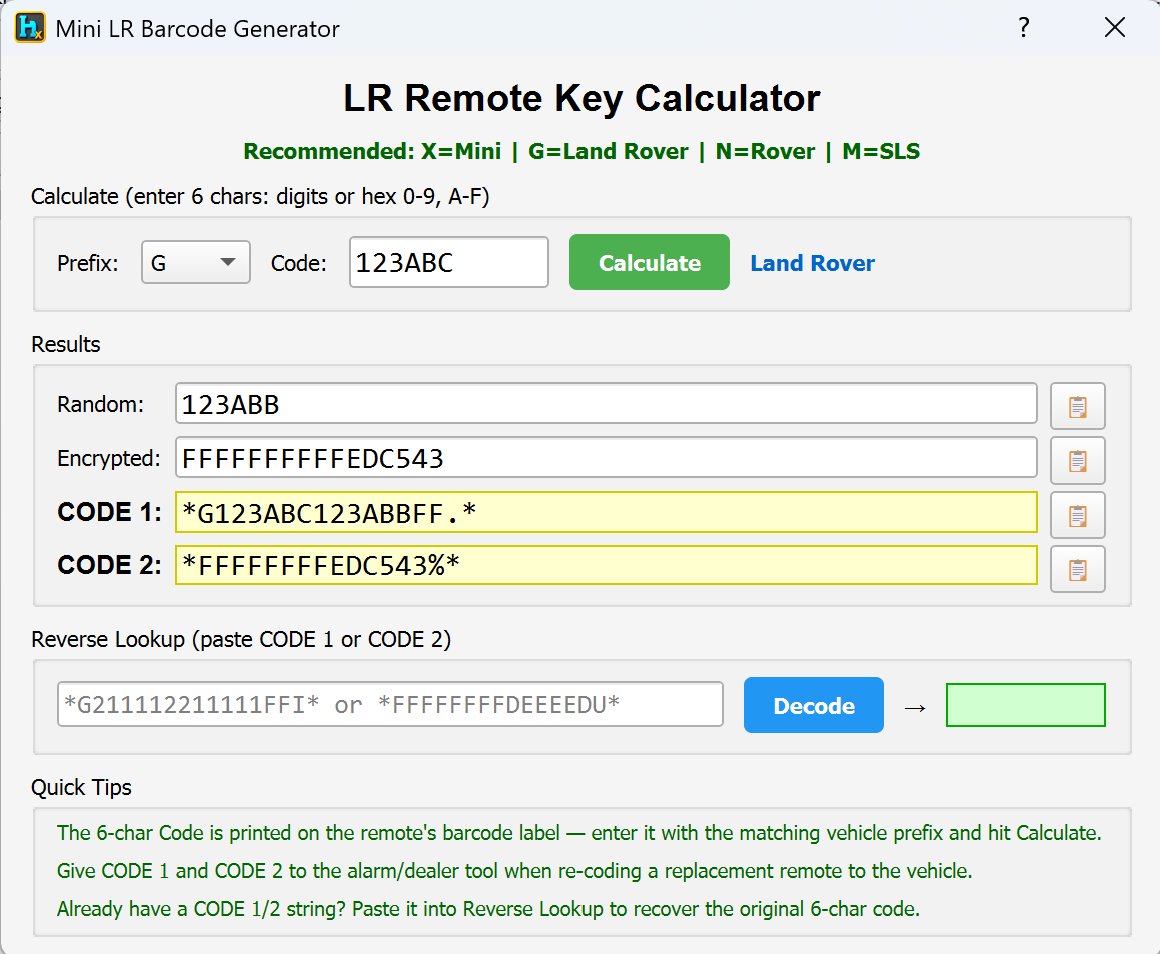
A calculator for converting between the 6-character barcode code printed on a Mini/Land Rover/Rover/SLS remote and the longer CODE 1 / CODE 2 strings the alarm/dealer programming tool (e.g. ISTA) actually needs to program that remote to a car — and back again.
How to open it
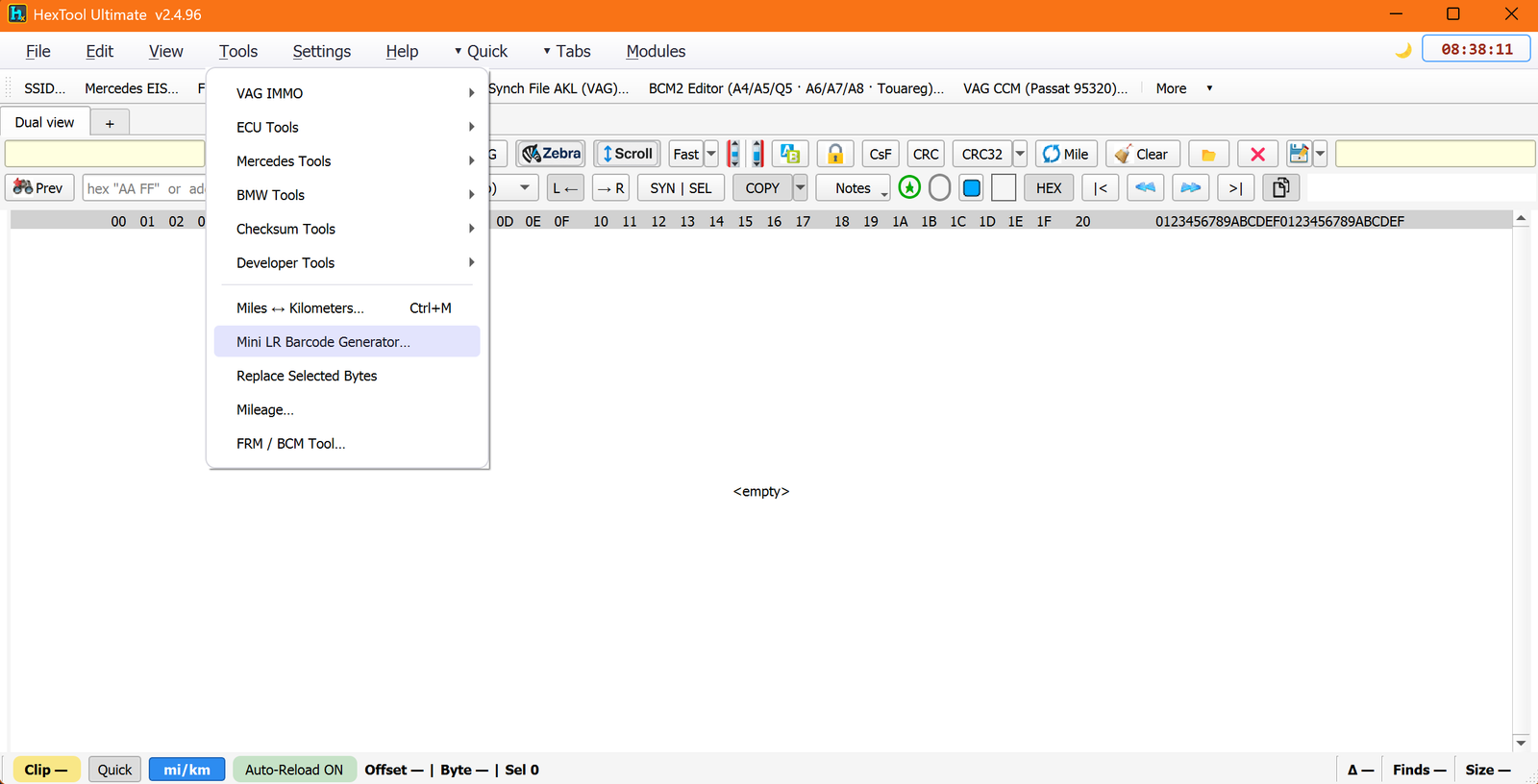
From the main HexTool window: Tools → Mini LR Barcode Generator…
What you can do with it
Calculate (forward direction)
Pick the Prefix: X = Mini, G = Land Rover, N = Rover, M = SLS.
Type the 6-char Code printed on the remote's barcode label (digits or hex 0-9, A-F).
Click Calculate. The tool produces:
Random and Encrypted values
CODE 1 and CODE 2 — give these to the alarm/dealer tool when re-coding a replacement remote to the vehicle.
Reverse Lookup (backward direction)
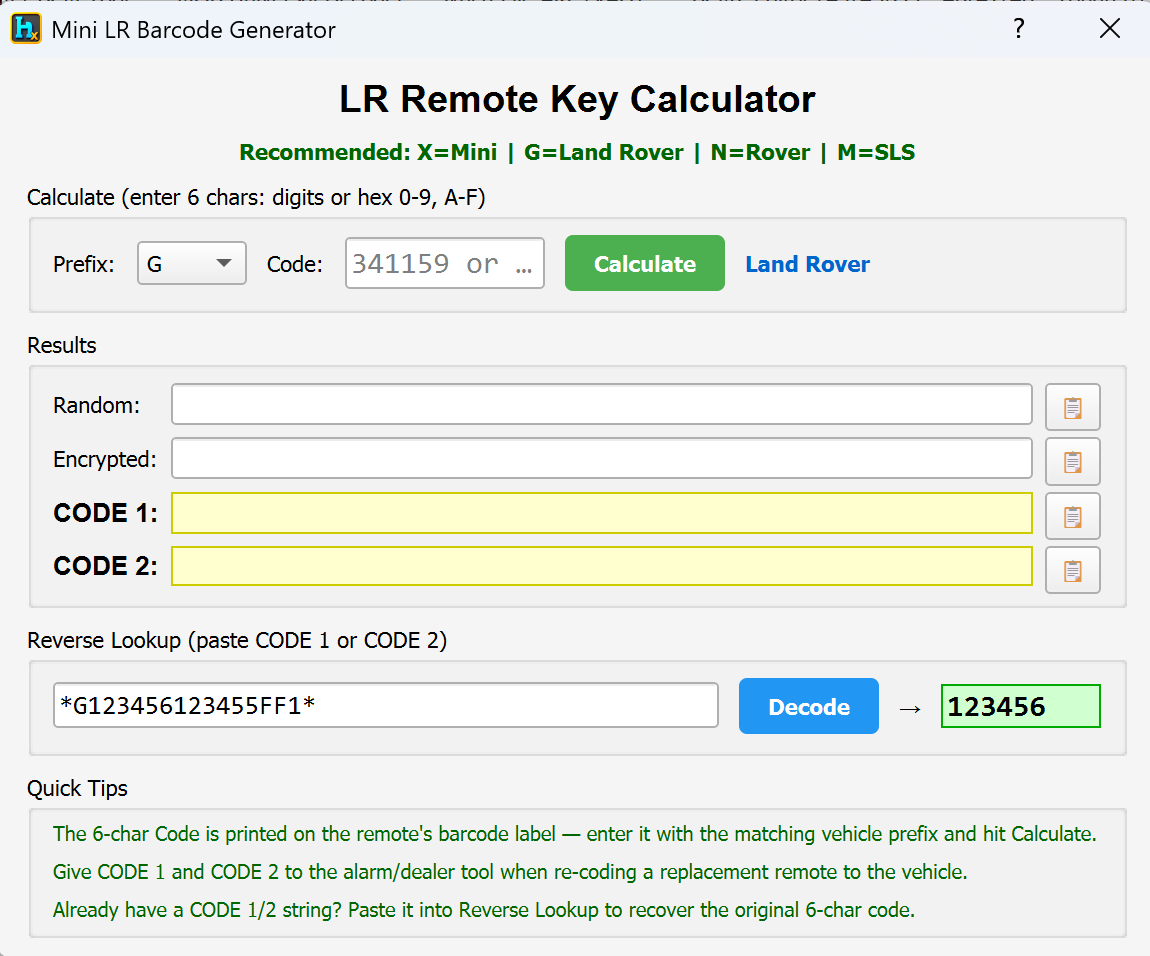
Already have a CODE 1 or CODE 2 string (e.g. from a second-hand remote)? Paste it into Reverse Lookup and click Decode to recover the original 6-character code.
Why it's useful
Convert an aftermarket remote's long code down to the 6-digit code so it can be programmed with the dealer tool (ISTA) like a genuine remote.
If you only have the short 6-digit code, use Calculate to restore the long CODE 1/CODE 2 needed to program keys.
Recover a genuine second-hand remote that only shows a short code — reverse-calculate what's needed, or decode an existing long code back to confirm/verify its short code.
Requirements
The 6-character code from the remote's barcode label, or an existing CODE 1/CODE 2 string to reverse-decode.
Other Tools / Unit Converter
Unit Converter
What is this?
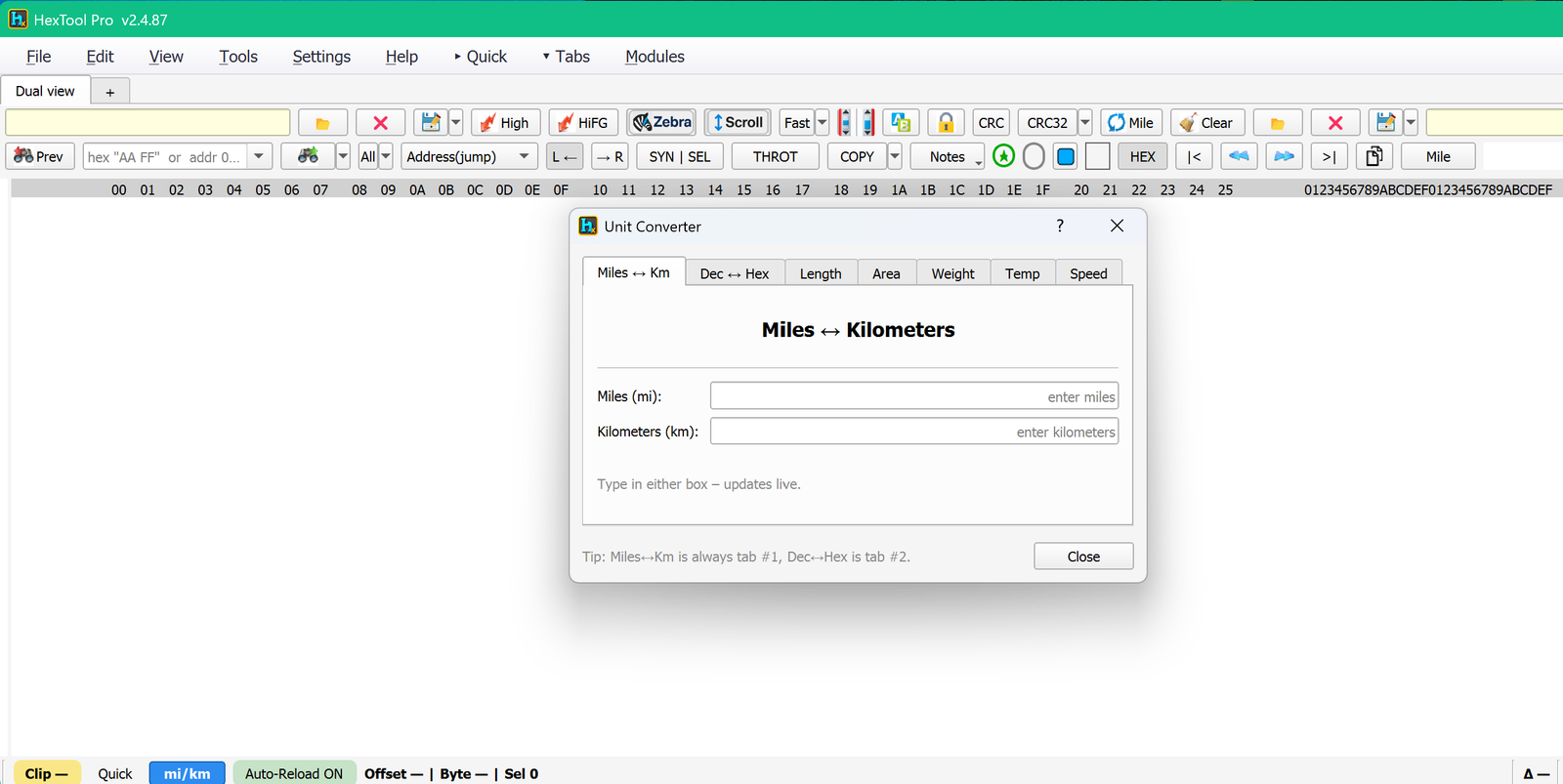
A general-purpose unit converter with several tabs, useful whenever you need a quick conversion without leaving HexTool.
How to open it
Via Tools → Miles ↔ Kilometers…(Ctrl+M) — this opens the dialog on the Miles ↔ Km tab.
Tabs
Tab
What it converts
Miles ↔ Km(always tab #1)
Type in either the Miles (mi) or Kilometers (km) box — the other updates live as you type.
Dec ↔ Hex(always tab #2)
Decimal/hex conversion.
Length
General length unit conversion.
Area
Area unit conversion.
Weight
Weight unit conversion.
Temp
Temperature unit conversion.
Speed
Speed unit conversion.
Typical use cases
Quickly converting a known mileage between miles and km while working on an odometer field.
Converting a decimal offset/value to hex (or back) without doing it by hand.
Requirements
None — standalone calculator, doesn't need a file loaded.
🛠️
Coming soon
This guide is being written and will be published here soon. Check back shortly — documentation is added regularly.