Professional Mileage Calibration Tool
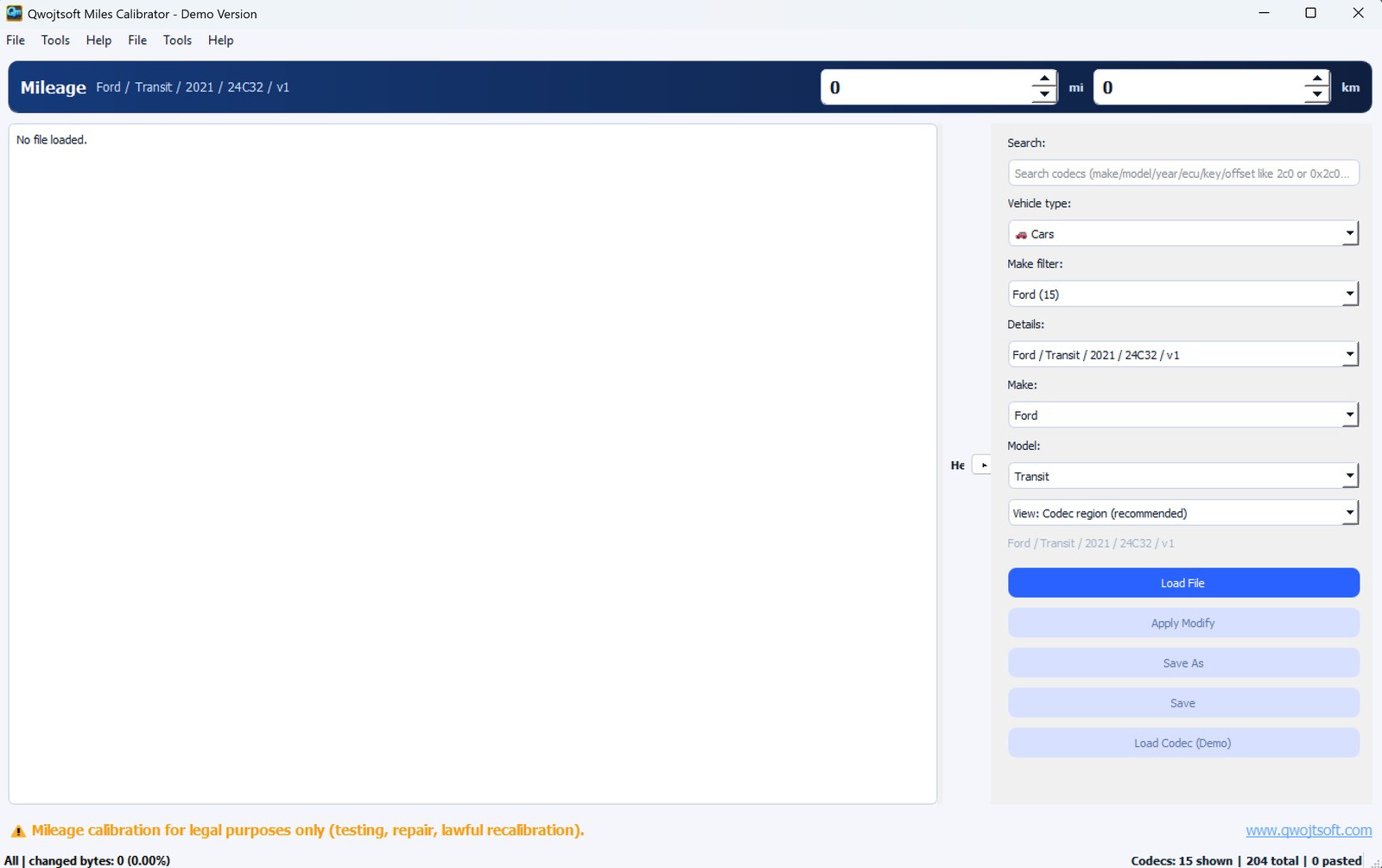
A powerful mileage calibration tool for automotive EEPROM dumps. Load binary files, decode odometer values using built-in codecs, view hex data with diff highlighting, and support dozens of vehicle brands.
Professional mileage calibration for multiple vehicle brands
Open .bin, .eep, .dat files from vehicle modules. Supports a wide range of dump formats.
Automatically decode mileage using built-in and custom codecs for accurate readings.
Hex viewer with diff highlighting to see exactly where mileage data is stored.
BMW, Mercedes, Nissan, Ford Transit, VW/Audi, and more vehicle brands supported.
Dedicated CAS4 calibration engine for BMW CAS4 module work.
Full version allows encoding new mileage values and applying them to dump files.
Built-in codecs for popular vehicle brands and models
CAS3, CAS4, F-series clusters, instrument clusters, and control modules.
W906 Sprinter and other Mercedes modules with mileage storage.
Juke, Qashqai, and other Nissan models with EEPROM mileage storage.
Ford Transit and other Ford vehicles with supported module types.
VW/Audi clusters and modules with various codec support.
New vehicle support and codecs are added regularly. Contact us for specific models.
Try the demo to see how it works
| Feature | Demo | Full Version |
|---|---|---|
| Load dump files (.bin, .eep, .dat) | ✓ | ✓ |
| Decode mileage values | ✓ | ✓ |
| View hex data with highlighting | ✓ | ✓ |
| Built-in codecs (BMW, Mercedes, etc.) | ✓ | ✓ |
| Apply/Encode new mileage | Demo Mode | ✓ |
| Load custom codecs | Demo Mode | ✓ |
| Codec Manager | Demo Mode | ✓ |
| Save modified dumps | Demo Mode | ✓ |
Try Qwojtsoft Calibrator demo version. Decode mileage values and explore the interface before purchasing.
Download Demo (Coming Soon)Windows 10/11 compatible | No installation required
Screenshots and video tutorials
How professionals use Qwojtsoft Calibrator
Use your programmer to read the EEPROM from the vehicle module.
Open the dump file in Qwojtsoft Calibrator.
Choose the appropriate codec for your vehicle make and model.
View the current odometer reading decoded from the dump.
Enter the correct mileage and encode it into the dump.
Save the modified dump and write it back to the EEPROM.
System requirements and compatibility
Windows 10/11 (64-bit recommended)
Python 3.8+ with PyQt5 for running from source
Pre-built executable available - no Python installation required
Compatible EEPROM/MCU programmer for reading vehicle modules
Qwojtsoft Calibrator integrates seamlessly with HexTool Developer
Access Qwojtsoft Calibrator directly from within HexTool Developer as an embedded tool.
Use HexTool for hex editing and analysis, switch to Calibrator for mileage work.
Use Logic Finder to discover patterns, then create codecs for Calibrator.
Contact us for Qwojtsoft Calibrator pricing and licensing options.
Request a Quote