EIS (Electronic Ignition Switch) is Mercedes' immobilizer module — it stores the car's VIN, SSID, password, special key, mileage and up to 8 key slots. HexTool auto-detects the EIS chassis/size from the dump and decodes everything on one screen.
How to open it
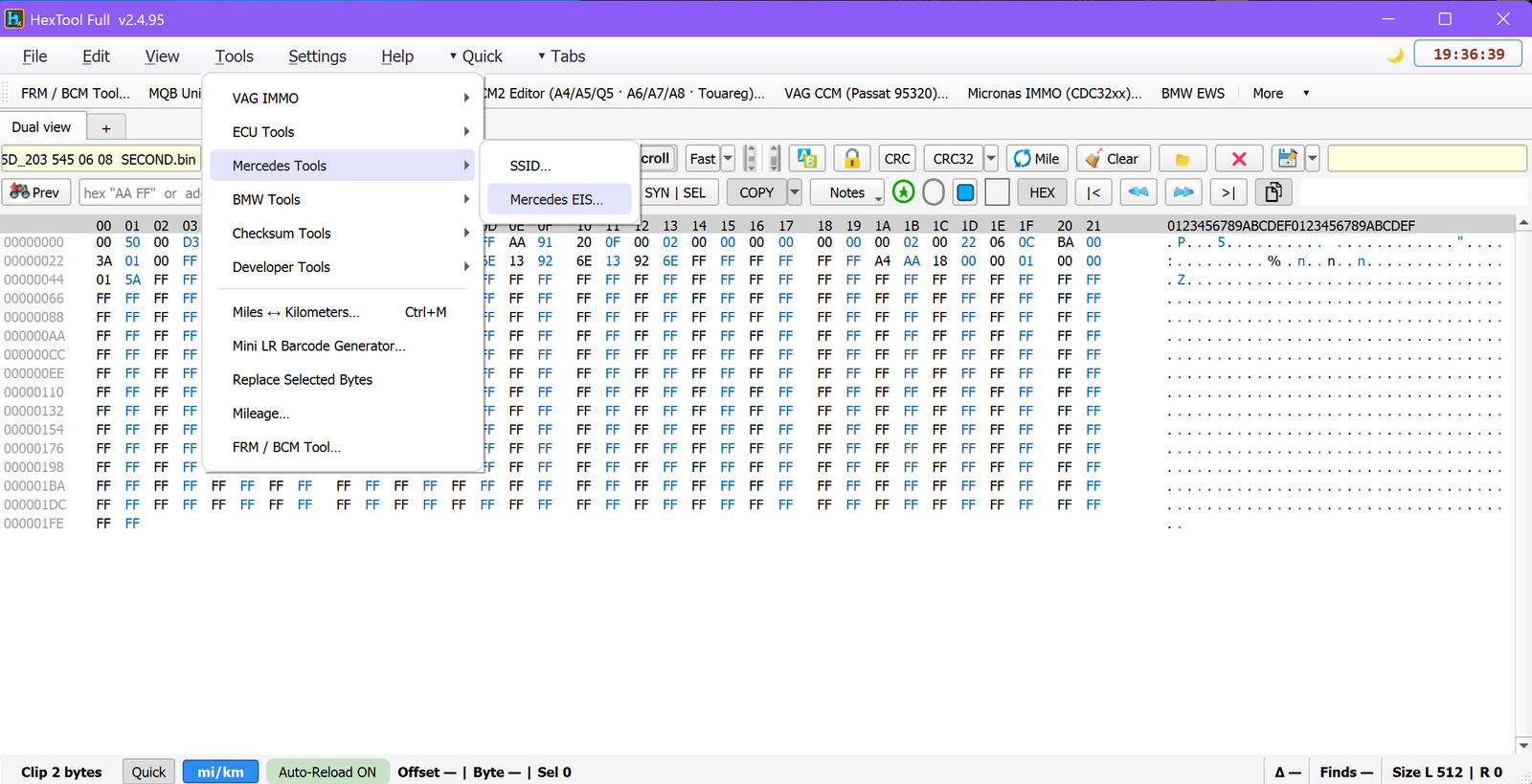
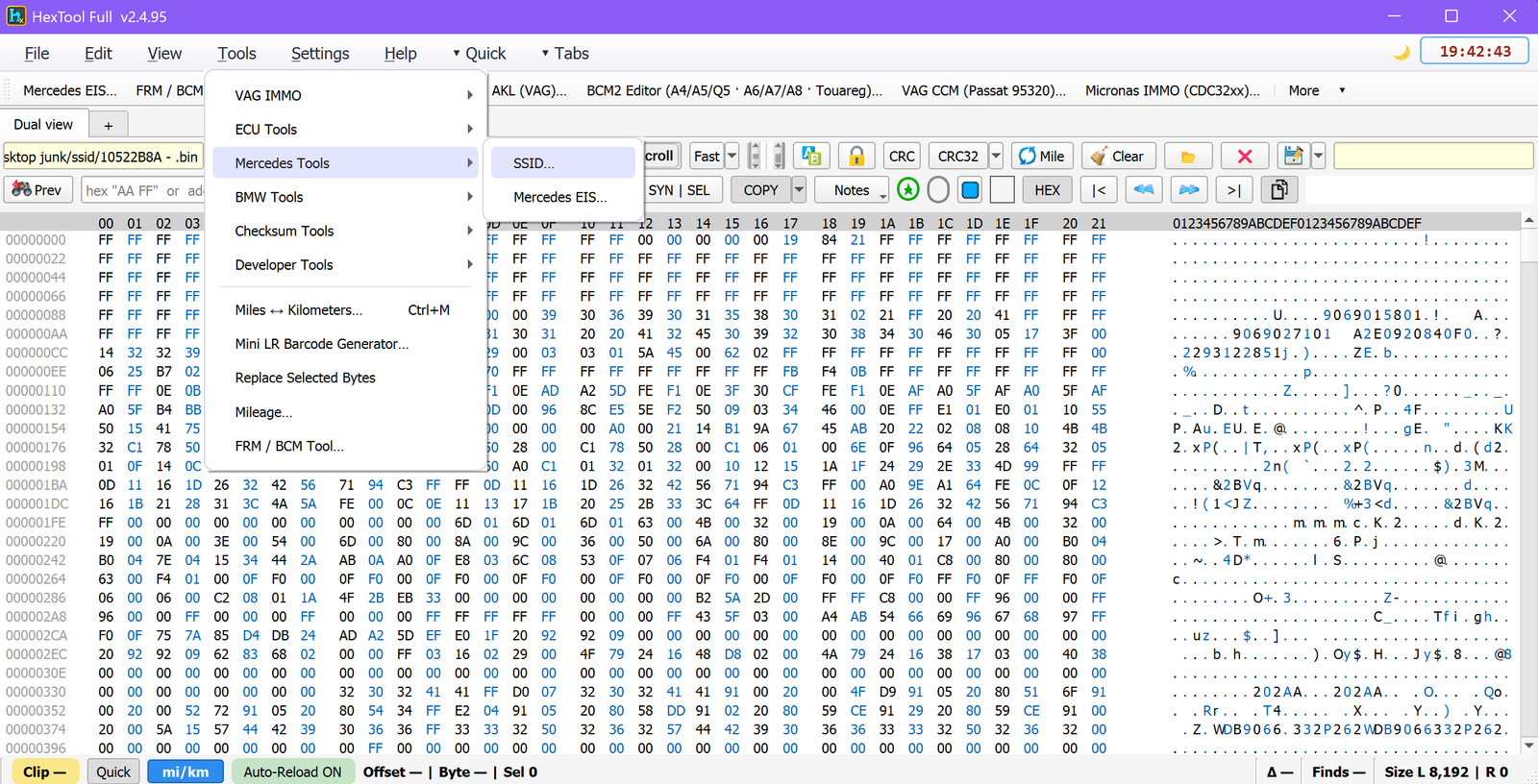
From the main HexTool window: Tools → Mercedes Tools → Mercedes EIS…
What you can do with it
Auto-detection
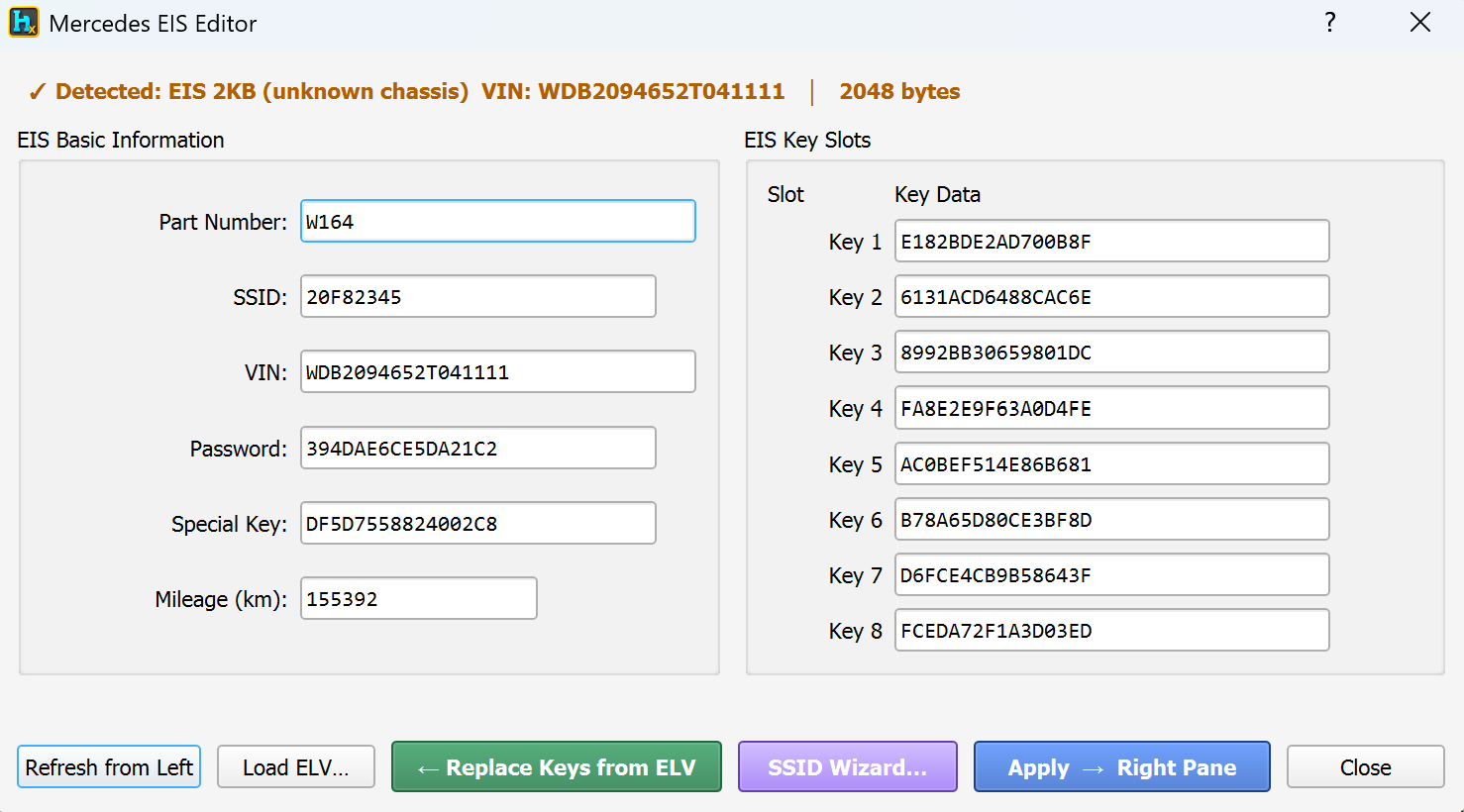
Loading a dump shows a detection banner (e.g. "Detected: EIS 2KB (unknown chassis) · VIN: WDB2094652T041111 · 2048 bytes") confirming size and VIN before you edit anything.
EIS Basic Information
Part Number and SSID.
VIN.
Password and Special Key — the module's security credentials.
Mileage (km).
EIS Key Slots
All 8 key slots shown with their key data at once, so you can see which are populated and which are empty.
Actions
Refresh from Left — reload the current data from the left pane.
Load ELV… — load a separate ELV (steering lock) file into the session.
Replace Keys from ELV — pull the key data out of a loaded ELV file and write it into the EIS key slots — useful when the EIS and ELV need to agree on the same set of keys.
SSID Wizard… — walks you through transferring this EIS's SSID into a different dump (see below).
Apply → Right Pane — push your edits to HexTool's right pane, ready to save/write.
SSID Wizard — moving an SSID to another dump
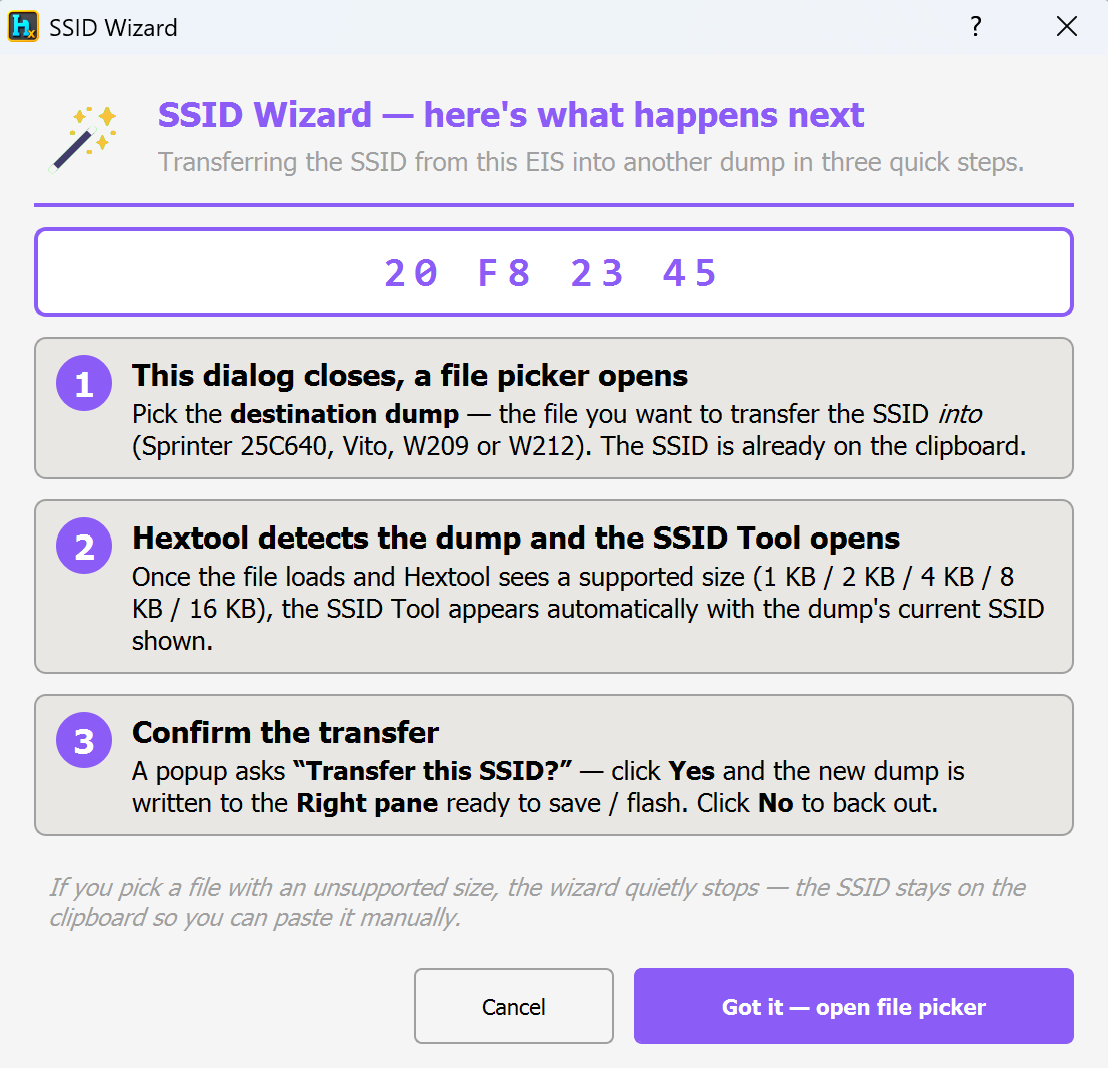
The SSID Wizard automates copying the SSID out of the currently loaded EIS and into a different ECU dump, in three steps:
Pick the destination dump — a file picker opens for the file you want to transfer the SSID into (Sprinter 25C640, Vito, W209 or W212). The SSID is already copied to the clipboard for you.
HexTool detects the dump and opens the SSID Tool — once the file loads and HexTool recognises a supported size (1 KB / 2 KB / 4 KB / 8 KB / 16 KB), the SSID Tool appears automatically showing that dump's current SSID.
Confirm the transfer — a popup asks "Transfer this SSID?"; click Yes and the new dump (with the SSID written in) appears in the right pane, ready to save or flash. Click No to back out.
If you pick a file with an unsupported size, the wizard quietly stops — the SSID stays on the clipboard so you can still paste it in manually.
Typical use cases
Reading VIN, password, special key and mileage from an EIS module.
Checking which of the 8 key slots are actually used.
Synchronising keys between an EIS and its ELV (steering lock).
Transferring an SSID from one module's dump to another compatible ECU (Sprinter/Vito/W209/W212) without manually copying hex by hand.
Requirements
An EIS dump — size/chassis is auto-detected.
For Replace Keys from ELV: a matching ELV dump.
For the SSID Wizard: a destination ECU dump of a supported size (Sprinter 25C640, Vito 95080 1 KB, W209 2 KB, or W212 16 KB).
Mercedes Tools / Mercedes SSID Tool
Mercedes SSID Tool
Available in ProFullUltimate
Video walkthrough
What is SSID?
SSID is the security code stored inside various Mercedes ECU/EEPROM dumps (Sprinter 25C640, Vito, W209, W212) that ties the module to the car's immobilizer. This tool reads and rewrites that SSID directly, independent of the full EIS editor — handy when you just need to read or change the SSID on one of these smaller dumps.
How to open it
From the main HexTool window: Tools → Mercedes Tools → SSID…
It can also be opened automatically by the Mercedes EIS Editor's SSID Wizard when transferring an SSID from an EIS into one of these dumps (see the Mercedes EIS guide).
What you can do with it
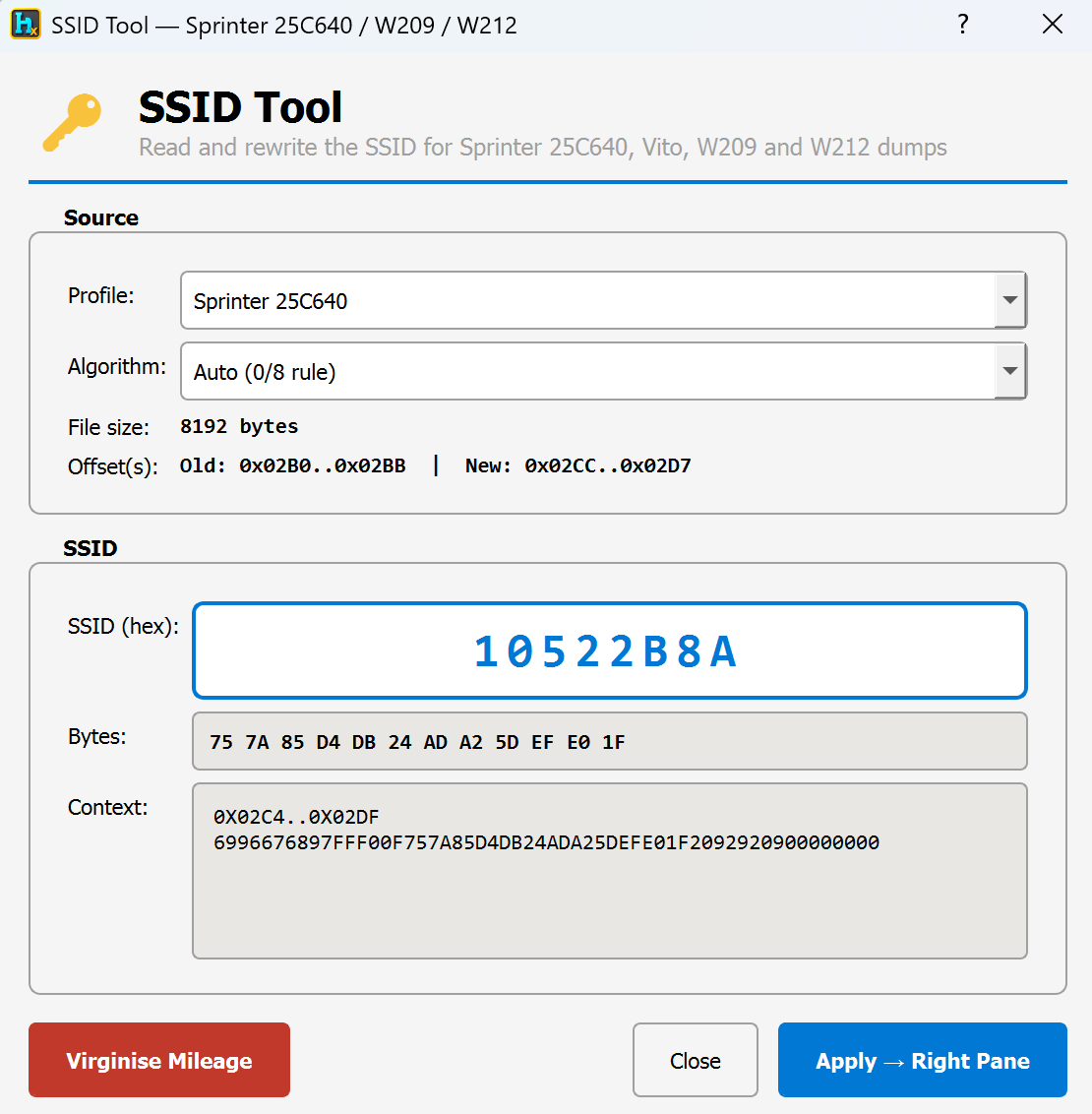
Source
Profile — choose the dump type: Auto (detect), Sprinter 25C640, Mercedes Vito (95080, 1 KB), Mercedes W209 (2 KB), or Mercedes W212 (16 KB).
Algorithm — Auto (0/8 rule), Old Algo, or New Algo, for dumps where the SSID can be stored under either of two known schemes; Auto picks the right one automatically, but you can force it if needed.
File size and Offset(s) are shown read-only once a profile/dump is loaded, so you can see exactly what the tool detected.
SSID
SSID (hex) — an 8-character hex field to view or type a new SSID.
Bytes — the raw byte representation of that SSID.
Context — a read-only preview of the surrounding dump data around the SSID location, so you can sanity-check it's landing in the right spot.
Sprinter-only extra
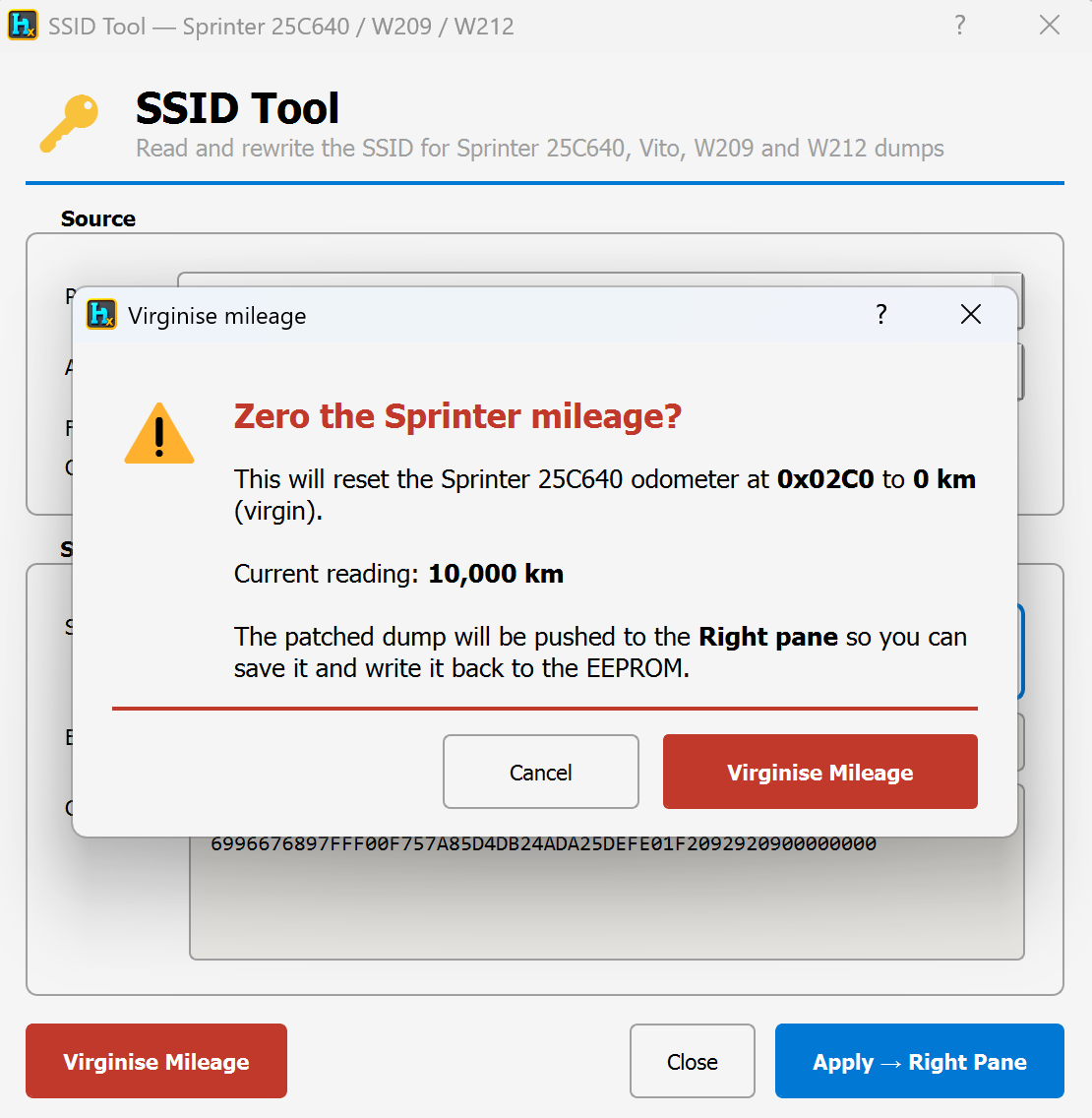
Virginise Mileage (Sprinter 25C640 only) — zeroes the odometer block at offset 0x02C0 (writes the virgin/0 km pattern), for resetting a Sprinter dump back to a blank state.
Apply
Apply → Right Pane — writes the SSID (and mileage reset, if used) into the dump and sends the result to HexTool's right pane, ready to save or flash.
Close — exit without applying.
Typical use cases
Reading or changing the SSID on a Sprinter/Vito/W209/W212 dump directly, without opening the full EIS editor.
Resetting a Sprinter 25C640's mileage to virgin/0 km.
Completing an SSID transfer started from the EIS Editor's SSID Wizard.
Requirements
A dump of one of the supported types (Sprinter 25C640, Vito 95080 1 KB, W209 2 KB, or W212 16 KB) — loaded from the left pane or via the wizard handoff.
🛠️
Coming soon
This guide is being written and will be published here soon. Check back shortly — documentation is added regularly.