Another great product by Qwojtsoft

Office Manager

Jobs, Quotes & Invoices — Your Whole Office in One Place

✨ Beautifully designed, fast and easy to use — built by the team behind HexTool.

Run the day-to-day paperwork of your service business from one program: job diary, customers, staff, quotes, invoices, payment reminders and customer emails. Go from a customer's call to a quote, a booked job, an emailed invoice and a "paid" tick — without juggling spreadsheets, Word templates and your inbox.

€199 / year
1 PC licence · updates included

🚀 Coming soon. Register your interest and we'll let you know the moment it's available.

🖥️ Windows 10 / 11 · works offline · your data stays on your PC
Built for Businesses That Book Work by the Day

Small businesses and sole traders who turn enquiries into quotes, jobs and invoices

🔧 TradesElectricians, plumbers, heating engineers, builders, decorators, locksmiths and handymen.
🚐 Mobile servicesMechanics, cleaners, gardeners, appliance and IT repair.
🏗️ ContractorsMaintenance and facilities companies, small workshops and contractors.
🏢 Small officesRun from one office computer — by you or your office manager.

From Phone Call to Paid — in Six Steps

A typical job in Office Manager

  1. A customer callsOpen the day and add a job. Start typing their name — address, phone and email fill in.
  2. Price it upAdd items with quantity, price and VAT. Your most-used items are one click away.
  3. Send a quoteOne click makes a numbered quote PDF and emails it from your own address.
  4. Do the workAssign it to your staff, add worker notes, attach photos and documents.
  5. Invoice itMark it done, create the invoice, preview, save and email it in one go.
  6. Get paidThe due-date reminder pops up — send a polite reminder or tick Mark Paid.

Everything Your Office Needs

One program instead of spreadsheets, templates and sticky notes

Job Diary & Calendar

A day-by-day calendar for the whole year with a job count on every day. Colour-coded status — Pending, In Progress, Done, Invoiced — so you see the state of your week at a glance.

Customers & Staff

Saved customers fill in automatically as you type. Assign every job to a member of staff, and keep a staff list in one place.

Professional Quotes & Invoices

Numbered quotes and invoices (QUO-0007, INV-0021) with your business name, logo and address, in Modern or Classic design. Preview before saving, VAT per line, optional discount.

Email & WhatsApp

Email quotes, invoices and reminders straight from the job, from your own email address, with the PDF attached automatically. Open a WhatsApp chat with the message already written.

Reminders That Get You Paid

Set a reminder on any job; invoice due dates create one automatically. Snooze it, email the customer a reminder, or tick Mark Paid — right from the pop-up.

Private Worker Notes

Access codes, materials and instructions for your workers — kept on the job but never shown on the customer's quote or invoice. Attach photos and documents too.

Find Any Job Instantly

Live search across every job — by customer, job number, site or staff member. Add your own extra fields like PO number, hours or vehicle reg.

Overview & Statistics

See your top customers, completed jobs and money received, plus an activity log of everything that was sent and done.

Your Data Stays Yours

Everything is stored on your own PC — no cloud account. Back up by copying one folder; updates never delete your data.

See It In Action

Click any screenshot to see it full size

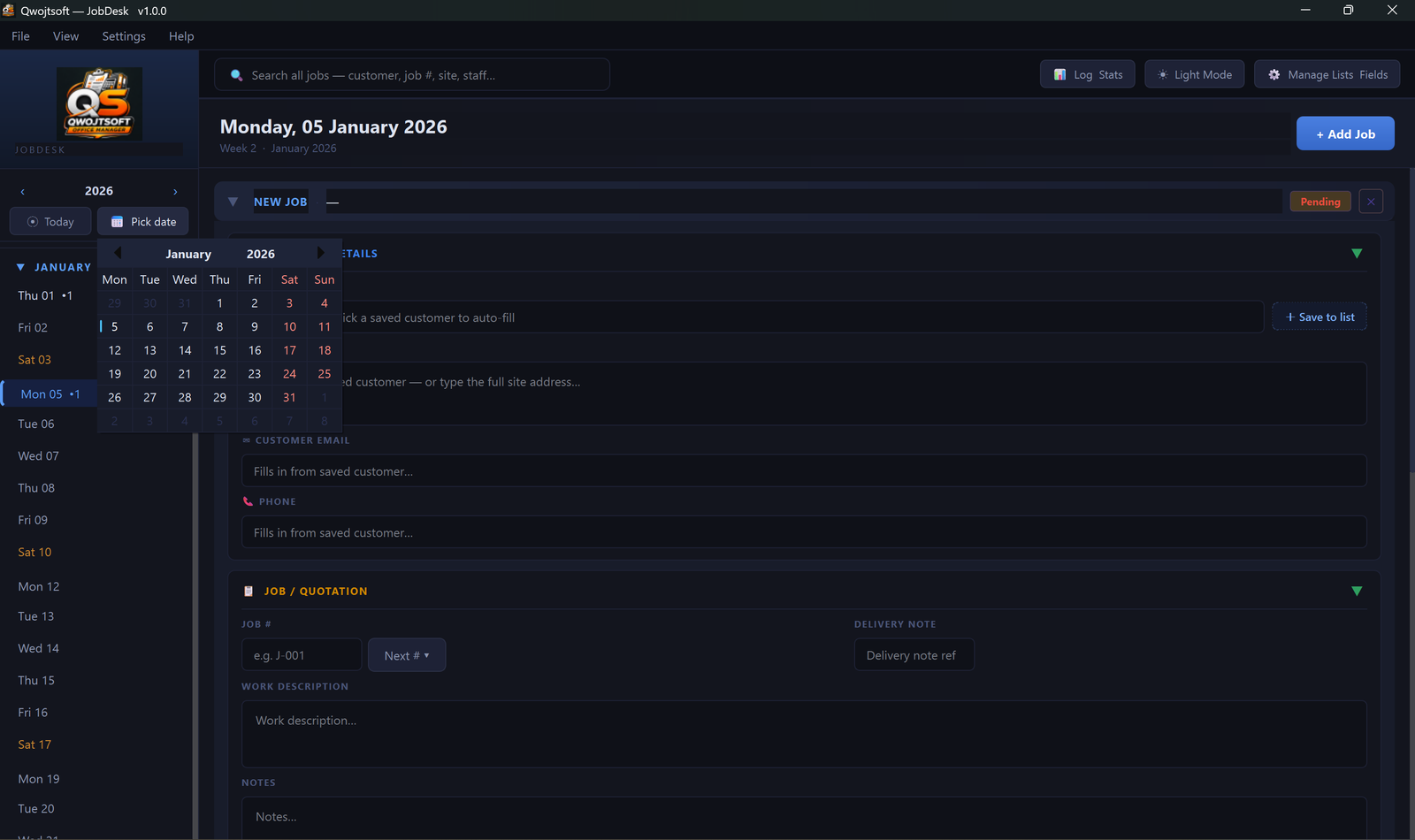
Every job on one card

Customer details, site address, job number, delivery note, description and notes all live together — and a customer you've saved before fills in by itself.

  • Calendar on the left — jump to today or any date in a click.
  • Search everything — customer, job number, site or staff.
  • Light and dark mode — whichever suits your office.
Office Manager job card with calendar

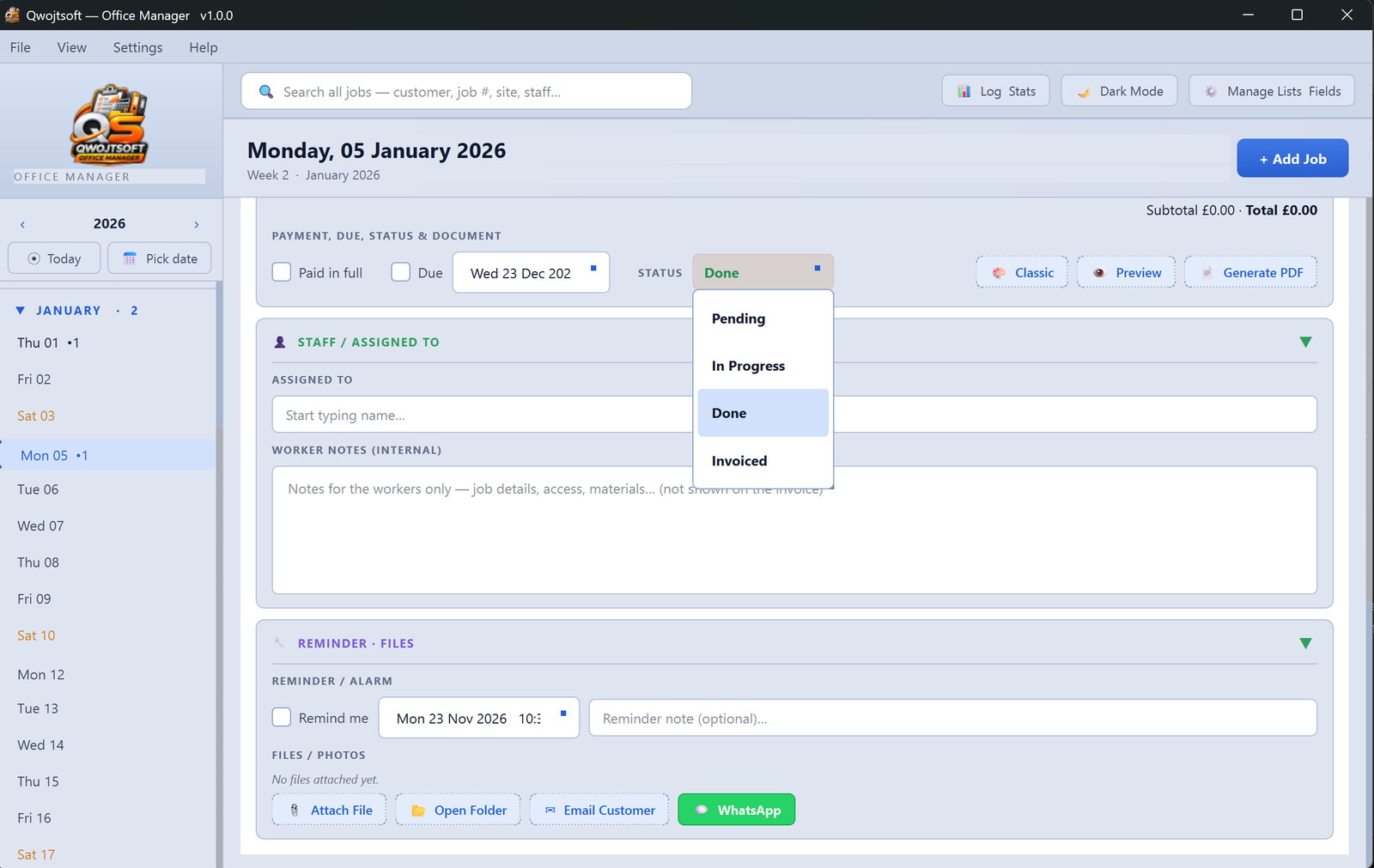
Track every job's status

Move each job from Pending to In Progress, Done and Invoiced. Tick Paid in full or set a due date, then preview and generate the PDF in your chosen design.

Office Manager job status and payment

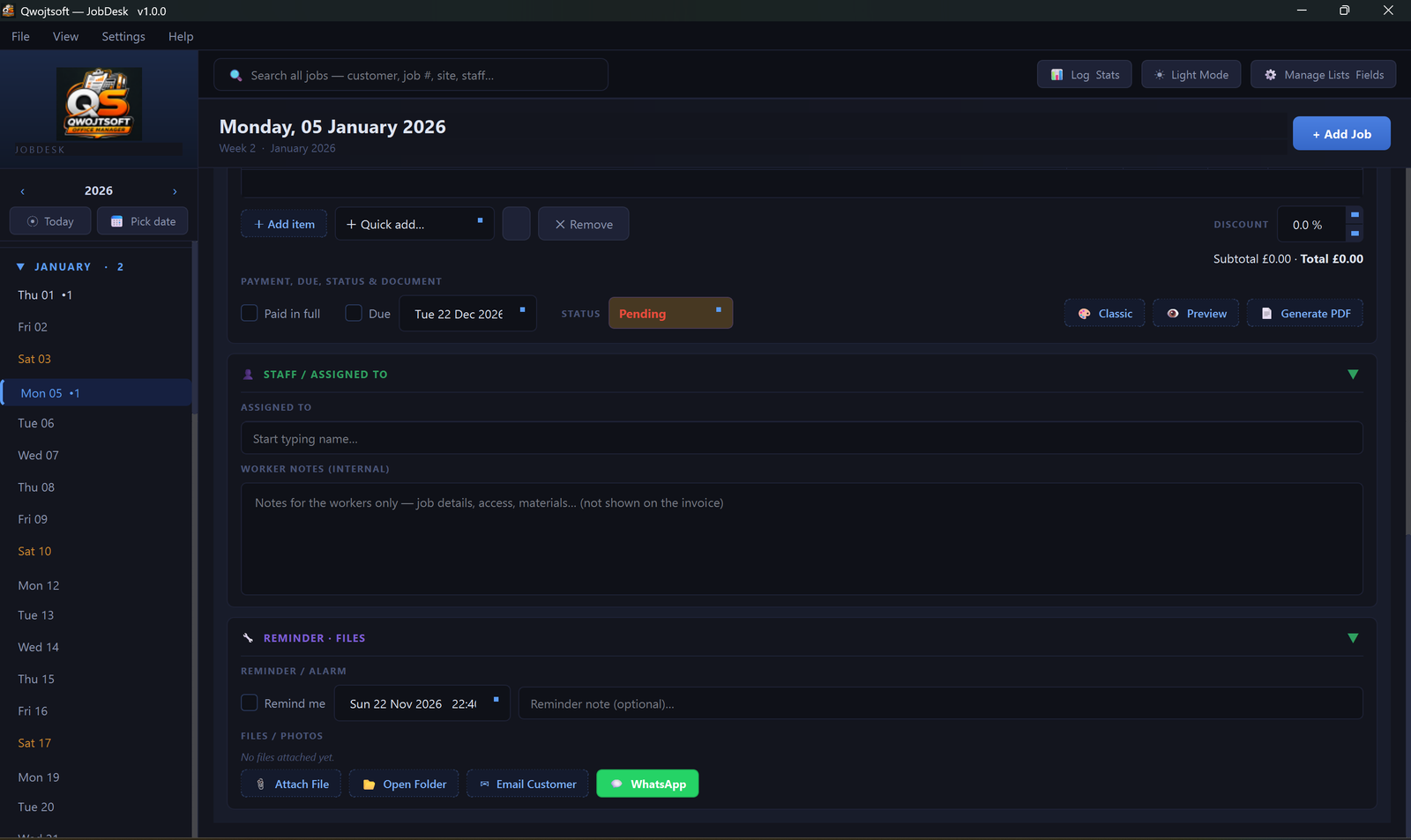
Staff, worker notes & reminders

Assign the job, leave private notes for your workers, set a reminder with your own note, attach files — then email the customer or open WhatsApp straight from the job.

Office Manager staff, reminders and files

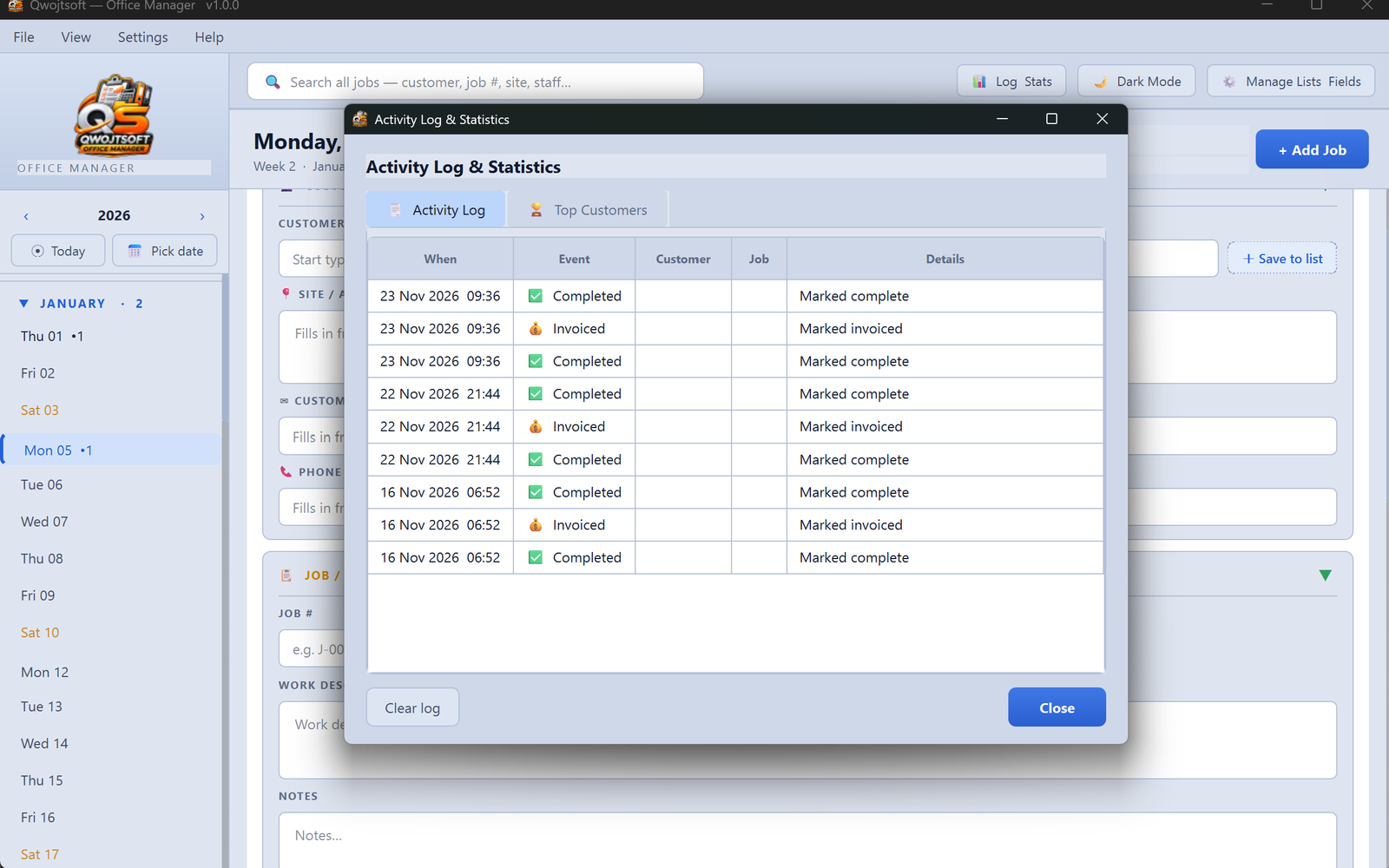
Know your business

The Activity Log shows everything that was sent and done, and Top Customers shows who brings you the most work and money.

Office Manager activity log and statistics

Questions

Do I need to be online?

No. Office Manager works offline. You only need the internet to send emails, open WhatsApp, and to activate or update the app.

Where is my data, and can I back it up?

On your own PC, in your Windows user folder (%LOCALAPPDATA%\OfficeManager). Copy that folder to a USB stick or backup drive. Updates and uninstalling never delete it.

Can I keep my current invoice numbering?

Yes. Set your own prefix (for example INV-) and the next number, so it continues where your old system stopped.

I'm not VAT-registered. Can I still use it?

Yes. Prices are in £ with VAT per line, 20% by default — just set your items to 0%.

Which email providers work?

Gmail (with a Google App Password) and any business email that offers SMTP.

Can several people use it at once?

Office Manager runs on one PC and keeps its data there. It's designed for one office computer rather than a shared team account. The €199/year licence covers one PC.

Be the First to Get Office Manager

Register your interest and we'll email you as soon as it's available — €199 per year for one PC.

Register Your Interest