(A video walkthrough of this exact process is linked at the bottom of this post.)
1. Open the flash and let it recognise the variant
Load the CAS3 flash dump into the left pane, then open Tools → BMW CAS → Flash Info & Recovery. HexTool fingerprints the dump and tells you exactly what it is — model, flash number, variant, and whether it's an ELV or NO-ELV car:
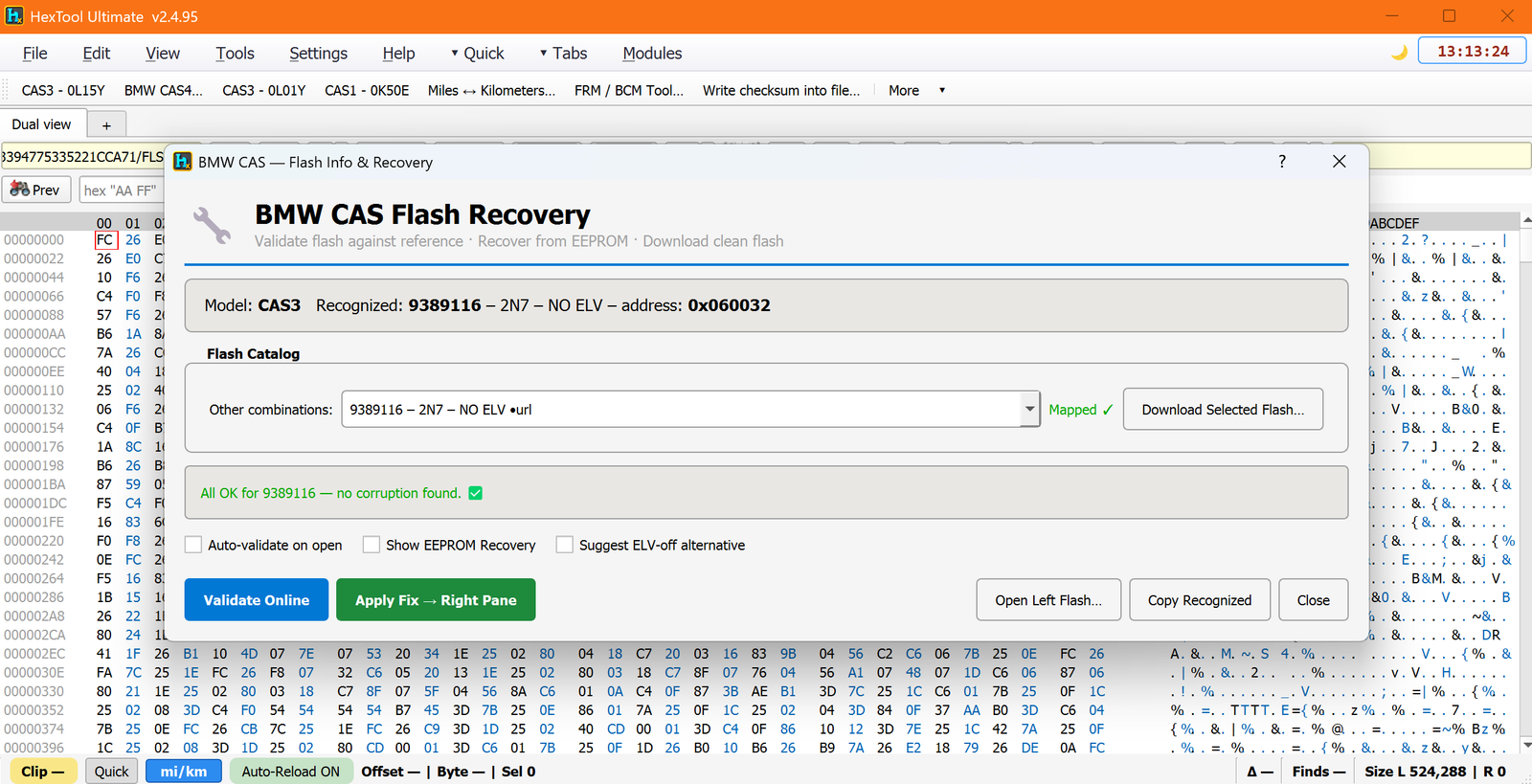
Here it recognised CAS3 · 9389116 · 2N7 · NO ELV, mapped it to a matching clean reference (Mapped ✓), and reported "All OK for 9389116 — no corruption found." That's what a healthy flash looks like. When the flash is bad, this is where the difference shows up.
2. Validate — and see exactly what's corrupt
With Auto-validate on open ticked, HexTool compares your flash against the clean reference for that exact variant. On a faulty A0AA car it doesn't just say "corrupt" — it tells you how corrupt and where:
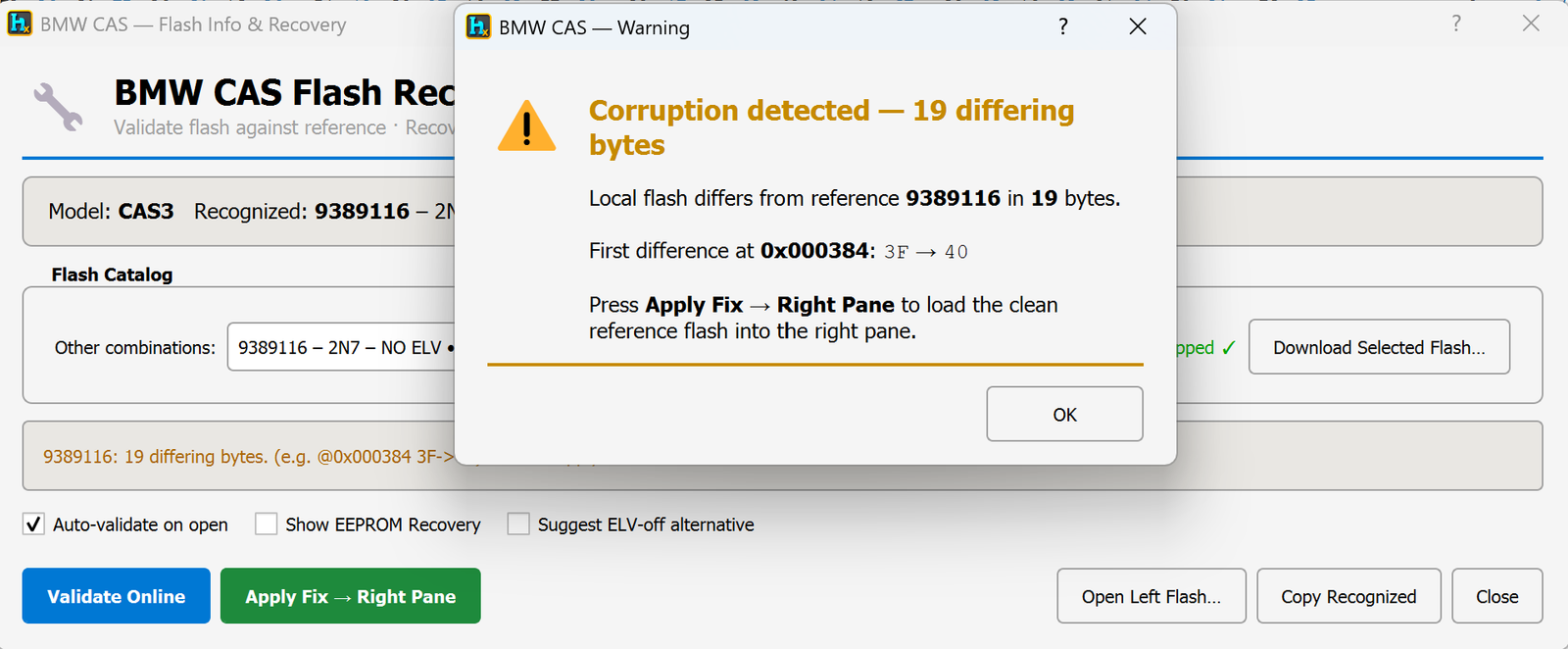
"Corruption detected — 19 differing bytes. First difference at 0x000384: 3F → 40." Because the comparison is against a real reference image for the recognised variant, you know precisely which bytes drifted and what they should be — not a heuristic guess.
3. Apply the fix
Press Apply Fix → Right Pane and HexTool loads the clean reference flash into the right pane, with the corrupt bytes corrected. You can diff left vs. right to see every change before you commit, then save the repaired flash ready to write back to the module.
When the flash number can't even be read
Sometimes the corruption is bad enough that the flash won't self-identify. In that case HexTool recovers the flash number the other way round — from the car's EEPROM. Load the 4 KB EEPROM and the AIF block at offset 0x0FDE tells HexTool which flash the module expects:
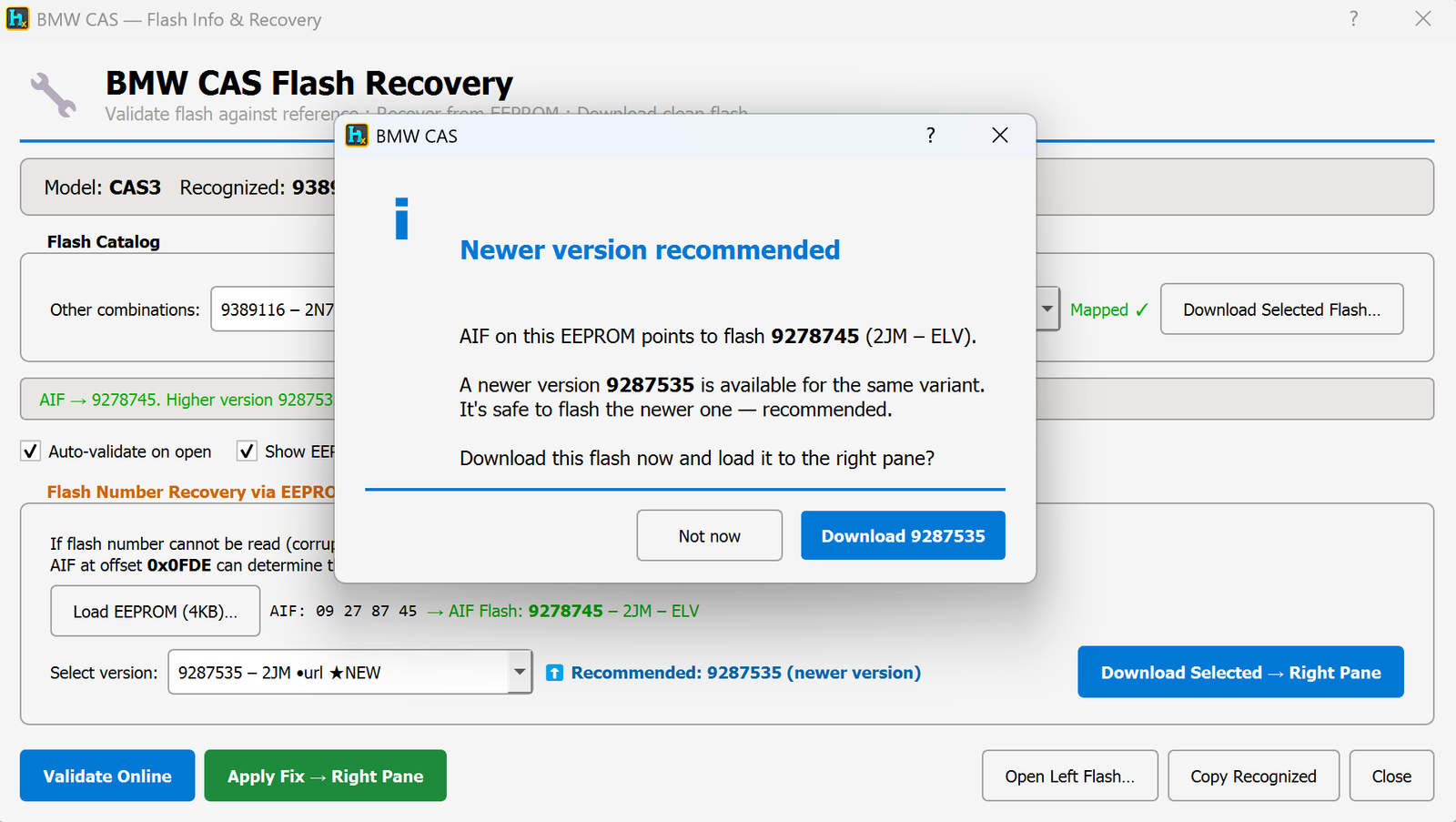
It matches the correct flash to your EEPROM and, when a newer safe version exists for the same variant, offers to download the clean flash straight into the right pane — so even a flash that's too damaged to read can be rebuilt from the reference.
Why this beats patching by hand
You could try to hunt corrupt bytes manually, but with a live car that's a slow and risky guess. Validating against the correct reference image turns "the car won't start and I don't know why" into "19 named bytes are wrong, here's the clean version" — the A0AA fault clears because the flash once again matches what the immobiliser expects, byte-for-byte.
Watch it in action
A full video walkthrough of the CAS3 Recovery Wizard:
Watch on YouTubeBMW CAS Flash Recovery is part of the BMW tool suite in HexTool Full & Ultimate. Full step-by-step docs live in the Help section.
Open the CAS Flash Recovery guide